




Bhupinder (Boo) Dhaliwale
Dexcom One Plus Sensor: CGM
Dexcom One Plus is a discreet and small wearable glucose sensor that provides glucose readings to a receiver or smartphone every 5 minutes. It can also send notifications when your glucose levels are high or low. This sensor is compact and easy to apply underneath the skin using the button-press applicator. No finger pricks or manual scanning are required. The sensor works for up to 10 days with a grace period of 12 hours.

Consult

Select

Checkout
01
Select
the items you wish
to order
02
Order reviewed
by our qualified
prescriber
03
Delivered
to your door step
Your Selection
Please use the options provided to make your final selection.
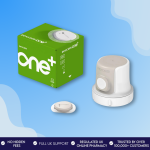
Dexcom One Plus Sensor: CGM
£47
Total
Price Comparison
Select your preferred options and see the best price
| Pack | Price (£) | ||
|---|---|---|---|
| - | - | 1 box | 47.00 |
It looks like you missed filling in questions from the last consultation.Click Here to submit your response.

No subscriptions or hidden fees

Secure checkout

UK Regulated online pharmacy

Trusted by over 250,000+ happy customers
How does the Dexcom One Plus provide real-time diabetes readings?
Dexcom One plus sensor is continuous glucose monitoring system helps in managing the diabetes by measuring the glucose levels in the interstitial fluid throughout the day. The sensor then sends the glucose readings in real time through wireless Bluetooth connected to smartphone or receiver. Dexcom one+ app and Dexcom One+ receiver designed to send alerts when your glucose levels go outside the range like what you have set.
Features of the Dexcom One Plus
All-in-one sensor:
The sensor and transmitter are combined into a single device making it easy and discreet to wear. Since the sensor has a waterproof design, you can wear it while swimming, bathing, or exercising. The sensor can be worn on multiple body locations for example arm, abdomen or upper buttocks (for kids ages 2 – 6) offering more flexibility to the users. It sends the glucose data in real time and you also re-review the past readings to track the glucose trends for a certain period.
Smart app:
Apps like Dexcom Clarity are used by the users to see the blood sugar readings directly on smartphone devices like Android or iPhone. It is user-friendly in such a way that you can check your glucose levels easily anywhere and anytime without the need for a transmitter or any special device. You can also customise the settings of your glucose range using the app to adjust alert thresholds. Dexcom One+ Sensor can also connect with health apps, like Glooko, to manage your diabetes easily and smoothly.
Receiver:
The receiver is pocket-sized and displays the glucose readings from the Dexcom One Plus Sensor. As it is small and portable, it can be carried along easily wherever you go outside. You can use it if you don’t have a smartphone which is compatible with Dexcom One Plus. It has all similar functions as the mobile app and lets you monitor the glucose levels continuously.
Benefits of using the Dexcom One Plus
No finger pricking: It requires no finger stick tests which makes the glucose testing hassle-free for diabetic patients.
Accuracy: It shows accurate glucose readings and thus helps to manage diabetes more effectively.
Tracking Daily Activities: You can log the activities like food intake, exercise, etc using a smart app as it can help you to understand how these set of activities affect your glucose levels and
Longer Wear time: As the sensor lasts up to ten days, replacing them often is not needed when compared with some CGMs available in the market.
Water resistant: You can use it even when you exercise, take daily shower or swimming as it is waterproof up to 2.4 Meters of water for 24 hours
How long does the Dexcom One Plus sensor last?
Dexcom One Plus sensor can last up to 10 days with additional grace period of 12 hours. After which you need to replace it with new sensor for continuous glucose tracking in your body.
You must first know the insertion process to avoid painful application of Dexcom One Plus sensor. Here is the Step-by-Step procedure provided for wearing the sensor safely to your skin.
- Clean the area: Ensure that the chosen body site area (Back of your upper arm, abdomen or upper buttocks) is clean before applying the sensor. Use an alcohol to wipe and clean the body area. Keep it dry for atheist 10 seconds.
- Place the applicator: Now peel off the protective cover from the applicator and position it on your skin firmly and remove the safety guard to proceed for insertion process.
- Apply the Sensor: Press the button on the applicator, now the sensor will get inserted directly under your skin.
- Remove the applicator: After the sensor gets attached to your body, just remove the applicator slowly. Press the sensor gently for at least 10 seconds to ensure it sticks securely to your skin.
- Connect with Receiver or Smart App: Now you can pair the senor with smart app or Receiver to view the glucose readings in real time.
Please note: Avoid the body areas with rashes, tattoos or less fleshy. You should also change the location where you apply the sensor each time to prevent infection, scarring or irritation
If I don’t have a Dexcom receiver, can I use my smart phone to check the glucose readings?
Yes, you can use smartphone to check the glucose readings if you don’t have receiver. But firstly, you must know if your smartphone device is compatible with Dexcom One Plus sensor.
Is Dexcom One Plus compatible with all smartphone’s devices?
You can check if your smartphone device is compatible with Dexcom One plus by visiting Dexcom.com/compatibility.
How to download and use Dexcom Clarity app
Dexcom Clarity App is designed to help the users to the insights about the glucose data that is received from the Dexcom sensors. Here is a breakdown of steps to follow to download and use the app successfully.
For Smart Phones:
- Search for Dexcom Clarity App either in Apple App Store or Google play or Play store based on the mobile device you are using.
- Download the app for free by pressing the install button and once the download is completed, it will appear on your phone along with the other applications.
- Now, press the app and login using your Dexcom user account credentials for linking your data to your account to view your glucose readings.
- This App will provide you details like glucose trends, patterns and time in range for managing diabetes more easily.
- You can also customise the glucose data which is displayed via setting page available in the app.
For Dexcom receiver:
If you are using Dexcom receiver, then you can upload the data to your Dexcom Clarity account. Login into clarity.dexcom.com and select “Dexcom Clarity for Home Users” Section and click upload to sync your data from receiver to view the glucose data history.
Can the Dexcom One Plus sensor be used with an Apple Watch for glucose monitoring?
Yes, Dexcom One Plus sensor can be used with an Apple Watch through Dexcom One+ App. You must customise your apple watch face by adding “complication” and make sure the app is in sync with your iPhone to have up to date information on your glucose data.
Is it possible to share glucose readings from Dexcom One plus?
Yes, you can share your glucose readings using Dexcom Follow App up to 10 people. This will help your care givers or families to stay updated on your glucose levels.
How to dispose of used Dexcom One Plus sensors?
After the ten-day wear period of Dexcom One Plus sensor, you can remove it and dispose safely in sharp bins along with the applicator. Since the sensors may contain some bodily fluids, you can clean it by using cloth before disposing. The sensor packaging can be discarded in regular trash.
What is the price of the Dexcom One Plus sensor in the UK?
The price of One Dexcom One+ Sensor is £47 in Pharmacy Planet UK. It comes along with the applicator. You can order three sensors at £47 if you are looking for 30 days use.
Can the Dexcom One Plus sensor used by type 2 diabetes people?
Yes, it can be used by both Type 1 and Type 2 diabetes people for continuous glucose monitoring.
Are elderly patients able to use the Dexcom One Plus?
Yes, the Dexcom One Plus sensor can be used by diabetic people who are above two years. So, it is completely safe for elderly patients to track the sugar levels in their bodies.
Is there any side effects or risks of using the Dexcom One Plus sensor?
Yes, there are some possible risks that includes skin irritation, bruises or rashes may appear if insertion of sensor is not done properly or applied in same body location. But chances of this being occurred is rare and it can be managed easily using proper techniques.
How can I buy a Dexcom One Plus sensor online in the UK?
You can buy Dexcom One Plus Sensor Online the UK from Pharmacy Planet. Just complete the simple online consultation where your order will be reviewed by one of the clinicians and approve the item if is it applicable for you to use.
Can I get Dexcom One Plus sensors available without a prescription?
Answer is No. Dexcom One Plus requires prescription since it is a medical device used by diabetes people for tracking their blood glucose levels.
Frequently Asked Questions
Yes, you can switch from Dexcom One to Dexcom One Plus easily. You must stop your current Dexcom One sensor session and remove both sensor and transmitter. Now you can insert the Dexcom One plus sensor on your skin and connect it Dexcom One + app which must be downloaded from the App Store or the Play store.
Gently peel off the adhesive patch and carefully remove the sensor from your skin. Now clean the area with mild soap, wash with water and wipe with clean cloth. Don’t forget to dispose both the sensor and applicator in the sharps bin.
If your Dexcom One plus sensor is not working then check on the issues like if the insertion has been done properly, any connectivity issues, any blockages between the devices (sensor and Smart Phone/ Receiver). After performing all these checks then if you still think the problem exists, then contact the Dexcom customer service team for assistance.
No. You must not use Dexcom One Plus Sensor after ten days as reusing it can lead to incorrect readings or may cause skin irritation.
Yes, there are many CGM available in the market like Freestyle Libre 2 which is used for measuring the glucose levels of people with diabetes above 4 years.
How it works

Complete our online
clinical consultation
clinical consultation
Answer a few questions on your health and your fitness goals.

Clinical
assessment
assessment
Our clinicians will review your clinical questionnaire to make sure treatment is right for you.

Welcome
aboard!
aboard!
Once approved, you will access our wealth of experience and resources curated by our team and begin your clinical journey.
Treatment options
Tamiflu (Oseltamivir) is an antiviral medication that blocks the actions of ...
Pravastatin is a high cholesterol treatment in tablet form. This medicine h ...

The Pulmicort Turbohaler is an inhaler designed for long-term asthma and CO ...
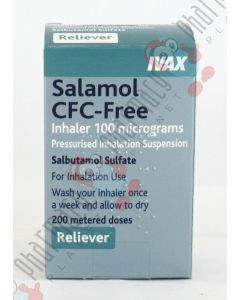
Salamol 100 mcg inhaler is used to relieve breathing difficulties caused by ...
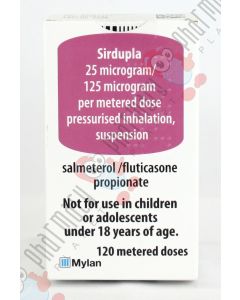
The Sirdupla Inhaler is a prescription combination inhaler that can be used ...

Nasonex nasal spray can effectively treat and prevent the symptoms of aller ...
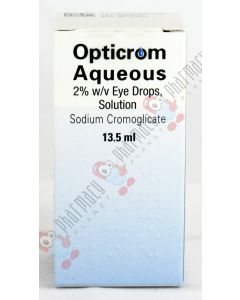
Opticrom aqueous eye drops provide quick relief from allergy symptoms which ...
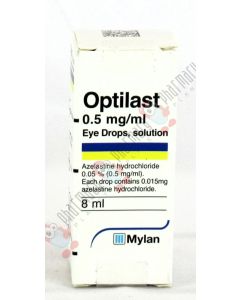
Optilast eye drop solution provides quick relief from allergic conjunctivit ...

Rhinocort Aqueous nasal spray contains budesonide, which belongs to a group ...
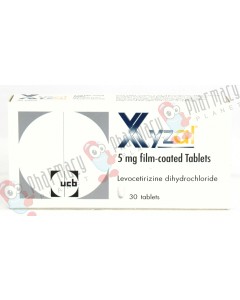
Levocetirizine Xyzal is a third-generation antihistamine derived from cetir ...
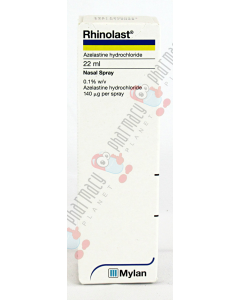
Rhinolast contains the active substance, azelastine hydrochloride, which be ...

Skinoren is a treatment that works against bacteria to fight acne. It is ap ...
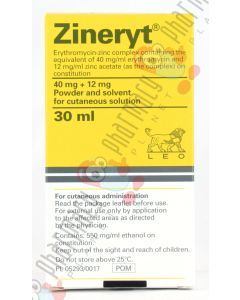
Zineryt Lotion is an excellent choice for individuals suffering from modera ...
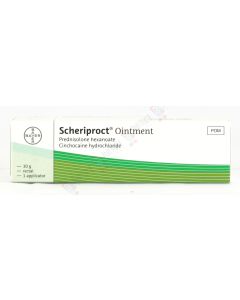
Scheriproct is a treatment for hemorrhoids. It contains two active ingredie ...

Xyloproct is a treatment for hemorrhoids. It comes in the form of an ointme ...
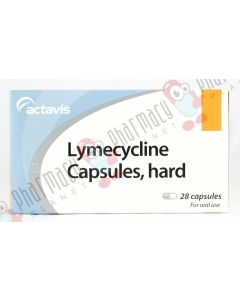
Tetralysal or Lymecycline is an antibacterial medication, well known for it ...
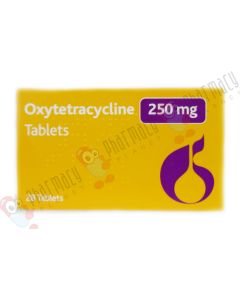
Oxytetracycline is an oral, anti-inflammatory antibiotic used in the proces ...

Salmeterol is an inhaler that is used to help prevent and control asthma an ...
Start your journey with us
Need Help?

Do you have a question about weight loss treatment?
Start your weight loss journey heading in the right direction. Our team are here to help. Whether you’re unsure about which medicine is right for you or need help navigating the world of weight loss drugs, our team are on hand to help you make the right decision. We can put you in touch with one of our experienced weight loss clinicians so you can be sure you’re making the best decision with the most accurate information.
To get in touch, contact our Customer Service team on 0800 978 8956 or email headoffice@pharmacyplanet.com.
Meet the team


Review By
HARMINDER ‘HARMY’ KAUR
Last Updated On : Mar 13 2026
BSc(hons) Pharmacy
GPhC Number: 2061107

Authored By
GURDEV SEHMI
Last Reviewed On : Mar 23 2026
BSc Pharm, MRPharmS, Independent Prescriber, Superintendent Pharmacist, Clinical Lead
GPhC Number: 2050925